
What Log Hero does
Your analytics records zero visits from Googlebot, GPTBot and ClaudeBot. Not few — zero. Analytics runs on JavaScript, and crawlers do not execute JavaScript, so an entire category of traffic is invisible to the tool most teams use to see traffic. Why analytics cannot see bots explains the mechanism, and why no setting fixes it.
Your server sees all of it. Every request it answers is a fact: who asked, for what, what they got back, how long it took. Log Hero reads those requests and turns them into a picture of which bots reach your site and what they find.
What you get
Section titled “What you get”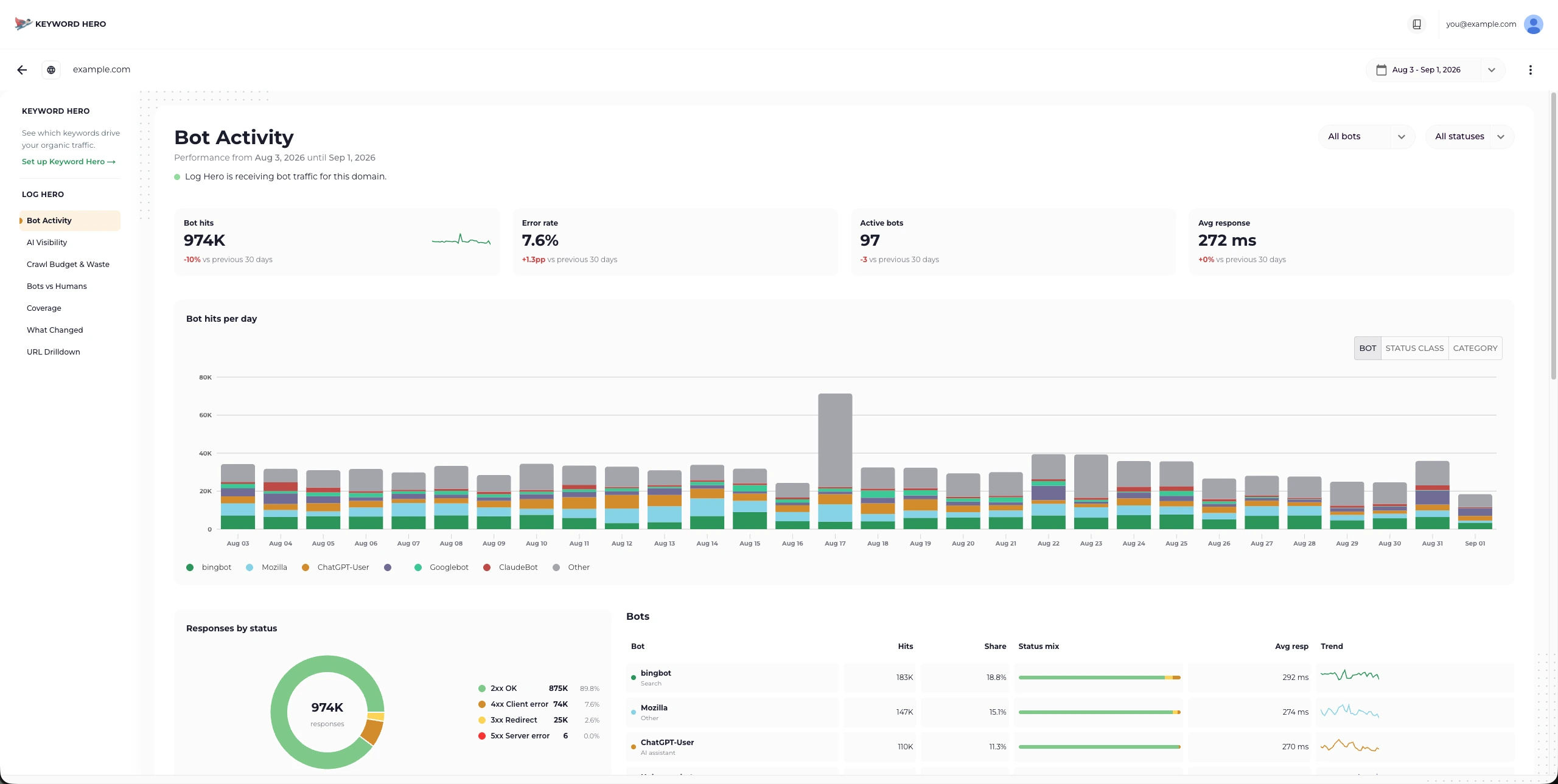
One of seven reports. This one answers “which bots are here, and are they running into problems?”
Concretely, per bot and per day:
- Which crawlers came, by name, sorted into search engines, AI training crawlers, AI assistants and social preview bots.
- What they requested — the exact paths, including
robots.txt, your sitemaps and the URLs you deleted three years ago. - What your server answered — status codes, so you can see the 404s and redirects a crawler keeps running into.
- How long you kept them waiting, per path and per status class.
- Whether the bot was who it claimed to be, checked against known IP ranges rather than taken at face value.
There is no tracking script, nothing changes on your pages, and no visitor loads anything extra.
Why this matters more than it used to
Section titled “Why this matters more than it used to”Search crawlers have been reading sites for decades and their behaviour is well understood. The newer traffic is not, and it does three different things that are worth telling apart — see Search, training and retrieval crawlers for what each one means and why blocking one does not block the others:
| What it is doing | What a hit means for you |
|---|---|
| Training | Your content is being collected to train a model. |
| Indexing | You are being indexed so an assistant can cite you later. |
| Answering, right now | Someone asked a question and an assistant opened your page to answer it. |
The third one is the closest thing to AI-driven demand that exists in a server log — a person was in the loop. It is also completely absent from every JavaScript-based analytics tool you have.
How it works
Section titled “How it works”- An integration hands over the requests. A WordPress plugin, a PHP SDK, an Apache module, or a log stream from your CDN. Pick the one that matches your stack: Choose your integration.
- They are sent in batches, not one call per request, so neither your server nor ours does per-visitor work.
- They arrive as reports in your Keyword Hero account, and as a raw feed in a Google Analytics 4 property Log Hero creates for the domain.
Setup is minutes for WordPress, an afternoon at the outside for a compiled Apache module.
What Log Hero is not
Section titled “What Log Hero is not”Being clear about this now saves disappointment later.
- Not a firewall. It records what happened; it never blocks, throttles or challenges anything. Acting on what you find is a job for your WAF or CDN.
- Not real time. Requests are batched, and the finest granularity is a day. There is no live view and there cannot be one from this data.
- Not proof of indexing. Crawled is not indexed, and fetched by an AI assistant is not cited by it. Logs record the request, not the outcome.
- Not a complete picture on its own. Every integration has a blind spot — an origin-side one cannot see what your CDN answered from cache. Which one you choose decides what you can see.
- Not a replacement for analytics. It is the half your analytics cannot reach. Human behaviour still belongs in your analytics tool.
Is it for you?
Section titled “Is it for you?”It is worth your time if you care about any of these:
- Whether AI crawlers reach the pages you would want them to reach.
- Whether Googlebot spends its crawl budget on your content or on redirects, parameter URLs and pages that no longer exist.
- Whether a bot that used to crawl you quietly stopped.
- Whether the “Googlebot” hammering your server is actually Googlebot.
It is not worth your time if you want a live traffic monitor, a bot blocker, or a tool that makes changes for you.
Sign up with GoogleQuickstart walks through the whole setup, including the part where you already have a Keyword Hero account.
New to server logs altogether? The beginner’s guide to log file analysis starts from what a log file is.