
Quickstart
By the end of this page you will have a Bot Activity report showing which AI crawlers and search engine bots reached your website, the pages they requested, the status codes they got back and how long your server took to answer.
No tracking script is involved, and nothing changes on your pages.
Before you start
Section titled “Before you start”- A Google account with Google Analytics 4. This is not optional. Log Hero mirrors an existing GA4 property, and creates a second one to hold your log data — see the GA4 property for what lands in it and why it is kept separate. Properties still on the old Universal Analytics cannot be used.
- Editor rights on the Google Analytics account. Log Hero creates a property there on your behalf, and cannot do that with read-only access.
- A way to change something on your stack — install a WordPress plugin, or create a token at your CDN.
- About ten minutes. Most of the waiting happens after you are done.
Where you start
Section titled “Where you start”Two doors into the same wizard.
| Your situation | Start here |
|---|---|
| No Keyword Hero account yet | Sign up with Google |
| Keyword Hero account, existing domain | Projects list → Set up Log Hero → on that domain |
| Keyword Hero account, new domain | Projects list → Add a domain → choose Log Hero |
New here
Section titled “New here”That button goes straight to Google and drops you into the Log Hero wizard afterwards. Log Hero uses Google sign-in and has no passwords.
It only routes that way for a genuinely new account. If you already have a Keyword Hero account you land on your projects instead — see the next section.
Google will ask for access to Analytics, including permission to edit. That is for step 2.
You already use Keyword Hero
Section titled “You already use Keyword Hero”For a domain you already track: open the Projects list. The Log Hero card on that domain shows NOT SET and a Set up Log Hero → link. That is your entry point — and because the Google Analytics side is already known for this domain, you skip step 1 and start at step 2.
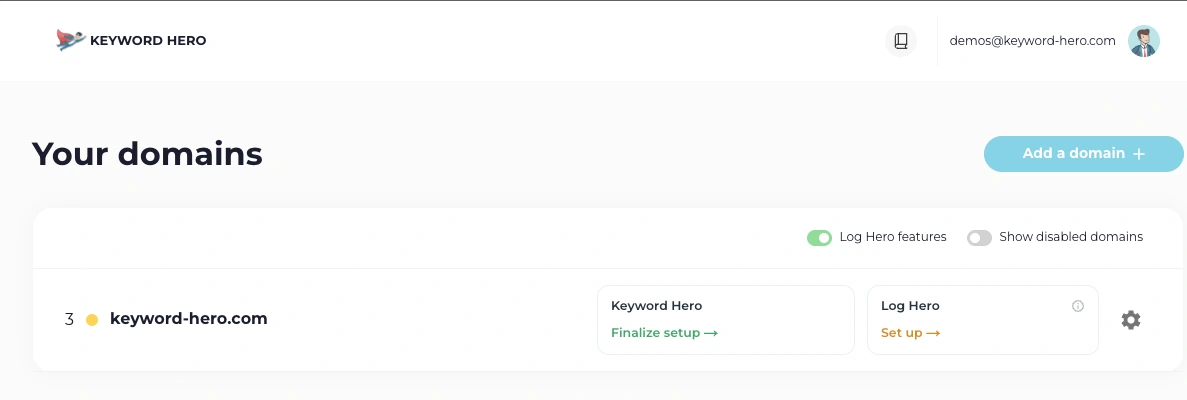
The Log Hero card sits next to the Keyword Hero one on each domain row.
For a new domain: choose Add a domain. The Choose your product dialog asks which product to set up first; pick Log Hero and continue. You get all four steps.
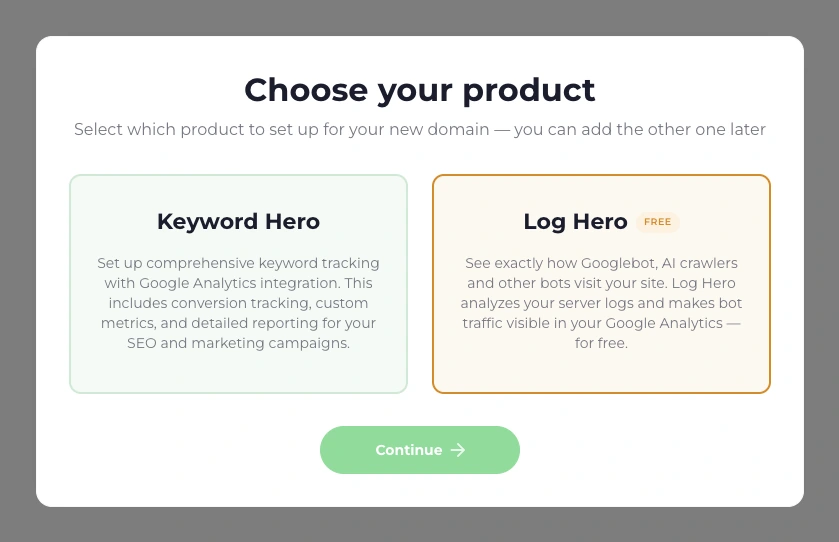
Picking one here does not lock the other out — you can add it to the same domain later.
If a domain shows no Log Hero option at all, it is still on Universal Analytics. Log Hero needs GA4.
1. Choose the property Log Hero will mirror
Section titled “1. Choose the property Log Hero will mirror”Skip this if you came from an existing Keyword Hero domain.
Three columns — Accounts, Properties, Data Streams. Pick the Google Analytics account, property and data stream that belong to the website you want to track, then Continue.
- Select at least one data stream. Streams without a measurement ID cannot be selected.
- Properties already in use as a Keyword Hero upload property appear disabled.
- First time through, you also confirm the terms and that you are allowed to share the data you are connecting.
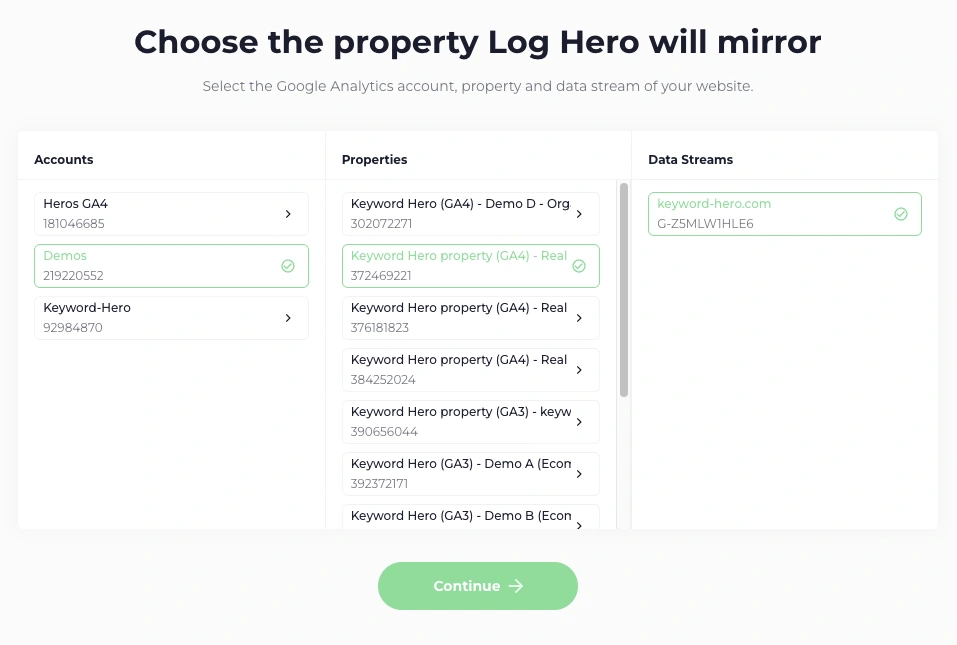
Accounts on the left, properties in the middle, data streams on the right. The selection travels left to right.
This is the only place a website is identified. There is no field to type a domain into anywhere in the wizard — the property and stream you pick here are the domain.
2. Create your Log Hero property
Section titled “2. Create your Log Hero property”This screen is a confirmation, not a form. Log Hero shows what it is about to
create — a second GA4 property called Log Hero <your property name>, with
the website, timezone and currency taken from the property you chose — and the
only thing you can change is which Google Analytics account it lands in.
Choose Create Log Hero property. Behind that button Log Hero creates the property, a data stream, the measurement protocol secret, the custom dimensions your log data needs, and your API token. It takes a moment.
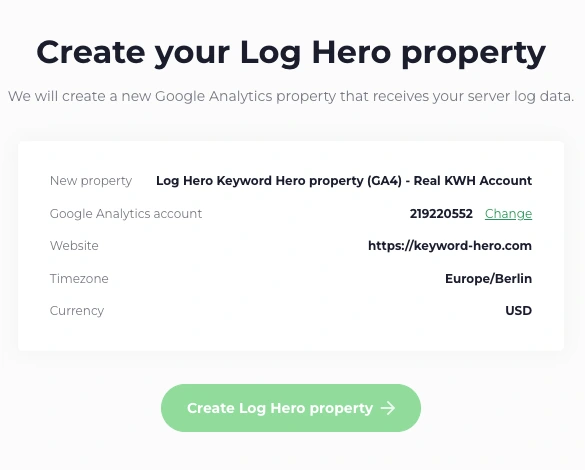
Everything here is derived from the property you picked. Only the Google Analytics account has a Change link.
If the chosen account is full or you only have read access, a picker opens and says so — This Google Analytics account has reached its property limit or You don’t have editor access to this Google Analytics account. Pick a different account and continue.
3. Set up the plugin
Section titled “3. Set up the plugin”Your API token sits at the top of this screen with a Copy button. You need it for every integration.
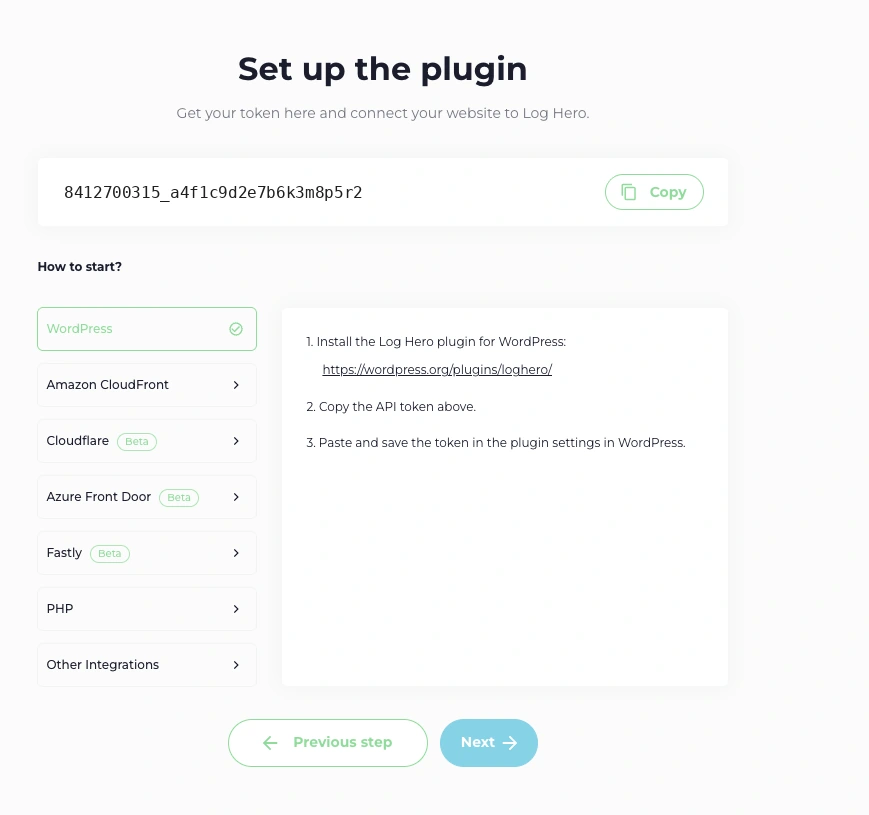
Seven integrations, WordPress preselected. The token above them is the same one for all of them.
Below it, choose where your traffic terminates. The wizard shows short instructions for each; the full page for each one lives in these docs:
| In the wizard | Full instructions |
|---|---|
| WordPress (default) | WordPress |
| Amazon CloudFront | Amazon CloudFront |
| Cloudflare | Cloudflare (Logpush) |
| Azure Front Door | Azure Front Door |
| Fastly | Fastly |
| PHP | PHP SDK |
Not sure which one? Choose your integration decides it in three questions — and the choice matters, because it determines which requests Log Hero can see at all.
Next moves you on whether or not the integration is finished. Nothing is lost: your token stays reachable from the Projects list at any time.
4. Log Hero is set up
Section titled “4. Log Hero is set up”The last screen confirms the setup and reminds you of three things: first data can take up to 24 hours to appear in the new Google Analytics property, do not delete or modify that property, and your token remains available from the Projects list.
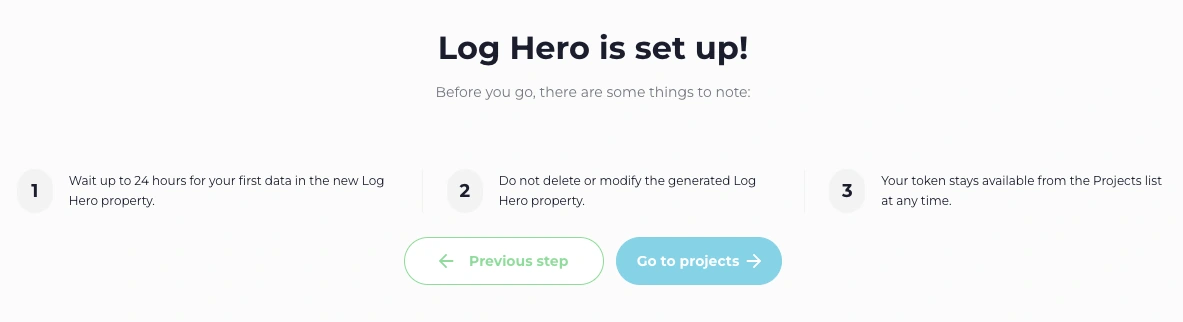
Note 1 is about the Google Analytics property, not the reports. Those fill up much sooner.
Choose Go to projects.
Check it worked
Section titled “Check it worked”Two different clocks, and mixing them up is the usual reason people think something is broken.
The reports fill up in minutes. Open Log Hero → Bot Activity. Once requests are arriving you see:
- The status line Log Hero is receiving bot traffic for this domain.
- A non-zero Bot hits figure.
- At least one named bot in the table.
The Google Analytics property takes up to 24 hours. That is expected and says nothing about whether the integration works. Judge the setup by the reports.
The Projects list shows the same thing as a pill: Tracking active once bot hits have arrived, Waiting for hits while it is still early, and Needs attention if a day has passed with nothing.
You do not need to generate traffic. Bots arrive on their own, and on most sites the first one lands within the hour.
If Bot Activity is still empty after 30 minutes, work through No data arriving.
You have data. Seven reports read it, each answering a different question: The Log Hero reports.